
Shanti
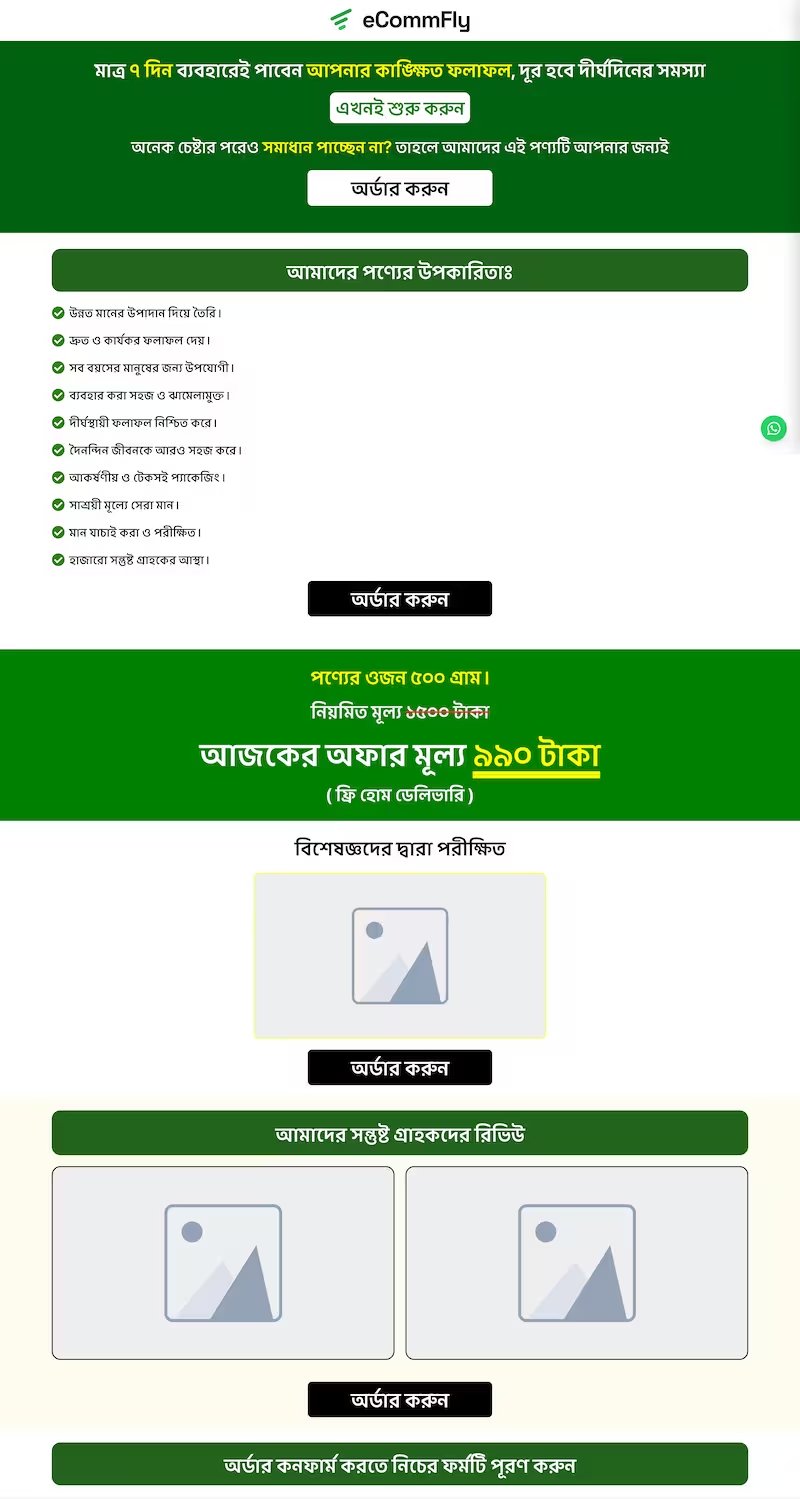
A long sales page for health and wellness products: a video at the top, the benefits, the offer price, a certificate, customer reviews and videos, then the order form.
The eCommFly app is out on Android. Run your store from your phone.
Get it on Google PlayiOS coming soonLanding Pages
Build a sales page for one product or offer, with the order form right on the page. Shoppers from your ads read, pick and order without a cart, a login or a second page, so more of the clicks you pay for become orders.
Eid offer · 20% off
Thicker hair in 30 days, or your money back
Nusrat Jahan
01712 345678
Full address
Order now · ৳ 1,190
Someone taps your ad on Facebook, on a phone, with a few seconds of attention. Send them to a product page and they still have to pick a size, add to cart, open the cart, go to checkout and fill in a form. Each step is a moment to get distracted, and most people who tap an ad never order.
A landing page takes those steps away. The story, the proof and the order form are on one page, and the shopper orders where they decided to buy. With fewer people dropping off between the ad and the order, the same ad spend brings in more orders.
Through the store
Through a landing page
Put in your own numbers.
More sales every month
৳ 180,000
From the same ads and the same budget, over a 30-day month. How many more orders a page brings depends on your product, offer and audience.
The order form is under the offer. Shoppers never leave the page that convinced them.
Ask for a name, a phone and an address. Hide email, post code and the second address line on the page.
Attach a coupon and the price drops on the page. Nobody abandons an order hunting for a code.
Sell packs, tick an add-on in advance, or start the quantity at two. Average order value goes up without a pitch.
No designer and no developer. Pick a template made for selling in Bangladesh, change what you need, and run your ads to it the same day.
A template arrives with your logo and store name in place, and its countdown set to end a week from today.
Swap in your photos, video and words, and move sections around until the page tells your product's story.
Choose what the order form sells and the discount it gives, then publish. Your page is live at yourstore.com/shop/your-offer.
A long sales page for health and wellness products: a video at the top, the benefits, the offer price, a certificate, customer reviews and videos, then the order form.
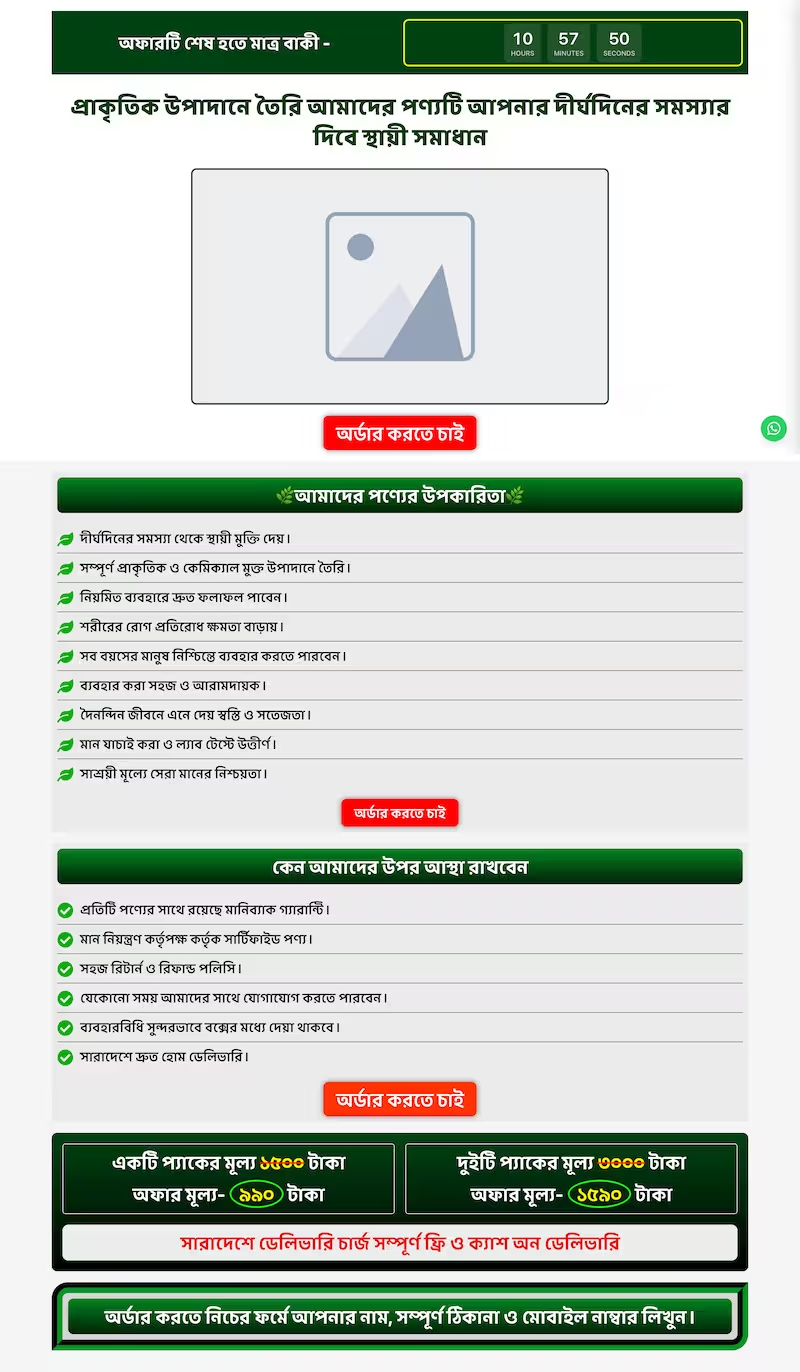
A short offer page in green with red order buttons: an offer banner, a headline over the product photo, benefits and trust points, two pack prices, then the order form.
Running a new offer? Duplicate a page that already sells, change the product and the price, and you have a second page to test against the first.
Every landing page has its own checkout: the products it sells, the discount it gives and the details it asks for. Shoppers pay with cash on delivery, bKash, Nagad or a card, the same as on your store.
Products
Herbal Hair Oil · 2 bottles
Starts at 1 · up to 3
Neem Comb
Starts at 1 · up to 2
Hair Serum
Only the 50ml option
Discount
EID2020% off, until 15 Apr
Checkout fields
Make the main product required, tick an add-on in advance, or leave extras for shoppers to pick.
Set the starting quantity, a limit per order, and which sizes or colours the page offers.
The discount shows on the page and comes off every order, and stops by itself when the coupon ends.
Hide, ask for or require email, post code, the second address line and a note, just for this page.
Hide the store menu to keep shoppers on the offer, or show it to let them browse.
Tell shoppers what happens next, like "We'll call you to confirm", on the order received page.
Not every sale starts on a landing page. Your store's checkout puts the details, delivery, payment and coupon on a single page, and Buy now opens the same one-page checkout for just that product, skipping the cart. You choose which fields it asks for, and whether shoppers need an account.
Edit content opens your landing page in the page builder, on your own storefront. Click anything to change it, drag sections into a new order, and check how it looks on a phone before you publish. The order form is always there at the bottom, with your real products and prices.
See the page builderShow the product working, from YouTube, Vimeo or your own file.
Count down to the end of the offer, to the second.
Customer quotes with star ratings and photos.
Before-and-after photos, certificates or delivery proof.
Selling points with icons: free delivery, cash on delivery, money back.
Answers to the questions people ask before they order.
WhatsApp, Messenger or Call buttons for shoppers who want to talk first.
Order buttons that jump down to the form from anywhere on the page.
Every landing page shows how many orders it has taken, and the Sales report ranks your pages by revenue. Put more budget behind the page that sells, and rework the one that doesn't.
Revenue by landing page
Last 30 days
Landing page orders reach Meta, TikTok and Google as purchases, the same way as the rest of your store's, so your ads learn from them.
Marketing →Typed a phone number and didn't order? The checkout is saved with the page it came from, so you can call or text them.
Incomplete orders →Blocked numbers can't order from a landing page either, and each order shows the customer's delivery rate.
Fraud Prevention →Create an account, pick a theme and add your first products. You can connect payments and couriers whenever you're ready.
Try it for 7 days for ৳99, then plans from ৳490 a month, plus a small commission on each sale.